HARDATA HDX 5
AUTOMATION SOFTWARE FOR RADIO NETWORKS AND LARGE STATIONS
Automate, manage, organize, and broadcast audio and video content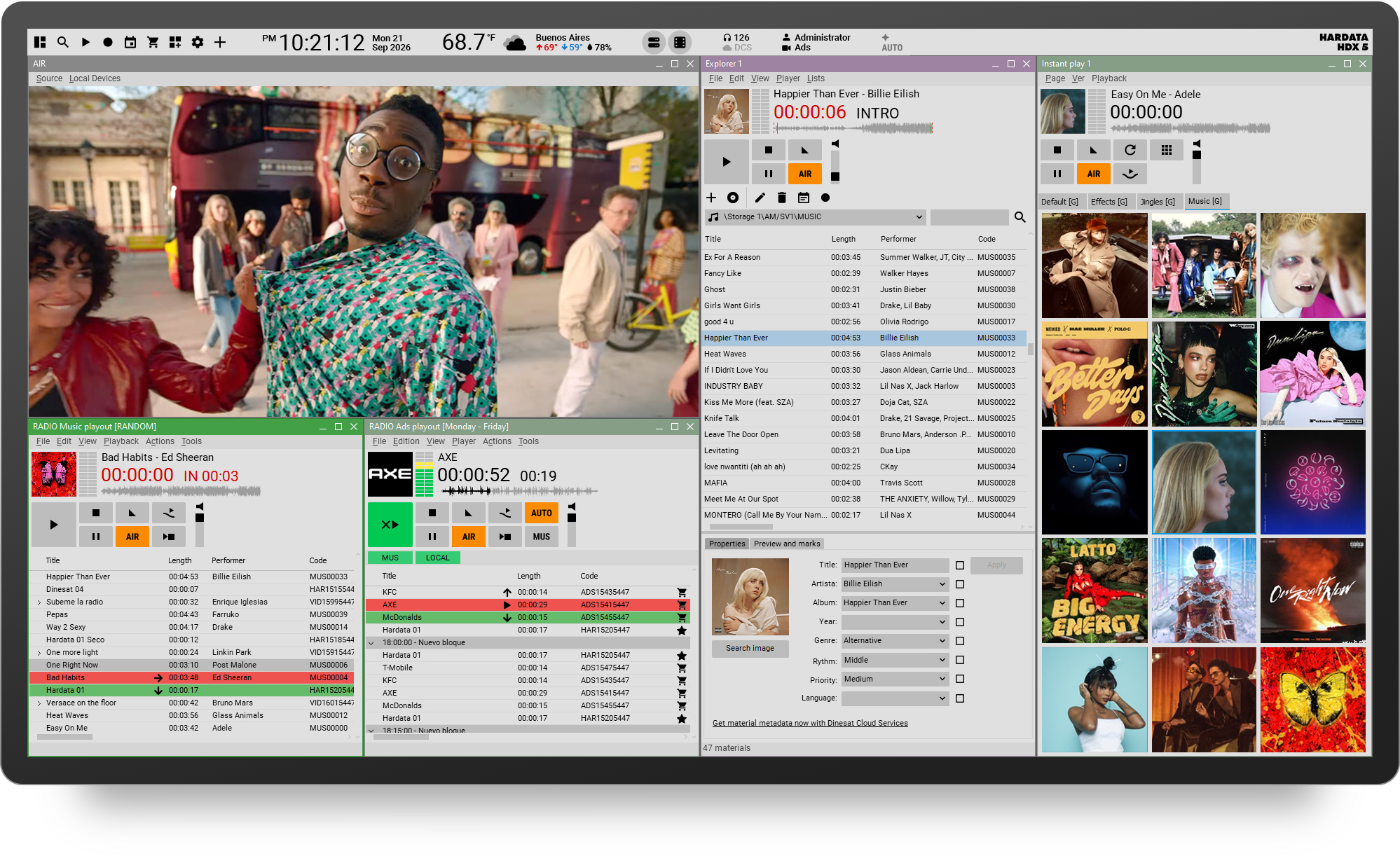
HARDATA HDX 5
Audio and video management for radio networks and large stationsHDX 5 brings together in a single platform the tools needed to manage a modern radio station. It lets you record, import, schedule, and broadcast audio and video content, integrating and simplifying the different workflows.
It also automates local commercial replacement at remote stations, making it possible to manage satellite- or Internet-based radio networks.
- Broadcast audio and video
- Broadcast 24/7/365
- Manage remote stations
Playlists with audio and video
Mix audio and video media in the same playlist while retaining all the classic operating features of a radio station, including fades, crossfades, and announcements.
Video Output for TV and Streaming
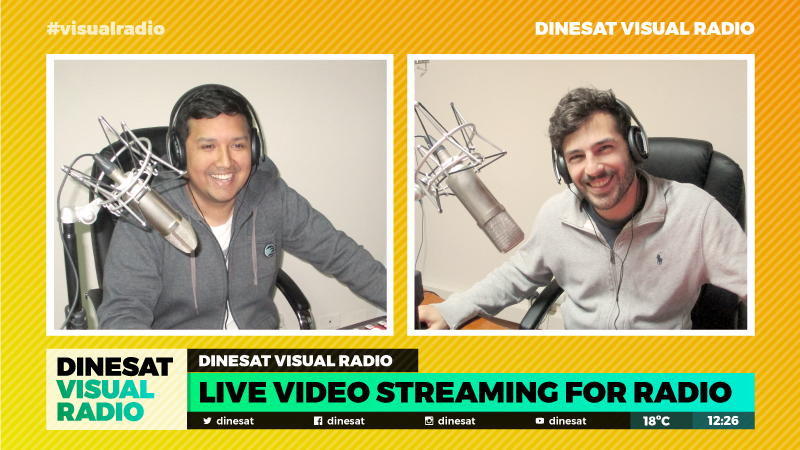
In addition to the traditional audio output, HARDATA HDX 5 generates a video output that can be used for TV broadcast or published on the web and social media.
AI-Assisted Automation
Artificial intelligence is becoming part of day-to-day operations. The new platform includes tools that automate tasks and streamline processes that traditionally required manual intervention.
Future-Ready Architecture
HARDATA HDX 5 was designed to continuously incorporate new capabilities, including future tools for music scheduling, analytics, monitoring, cloud services, and artificial intelligence.
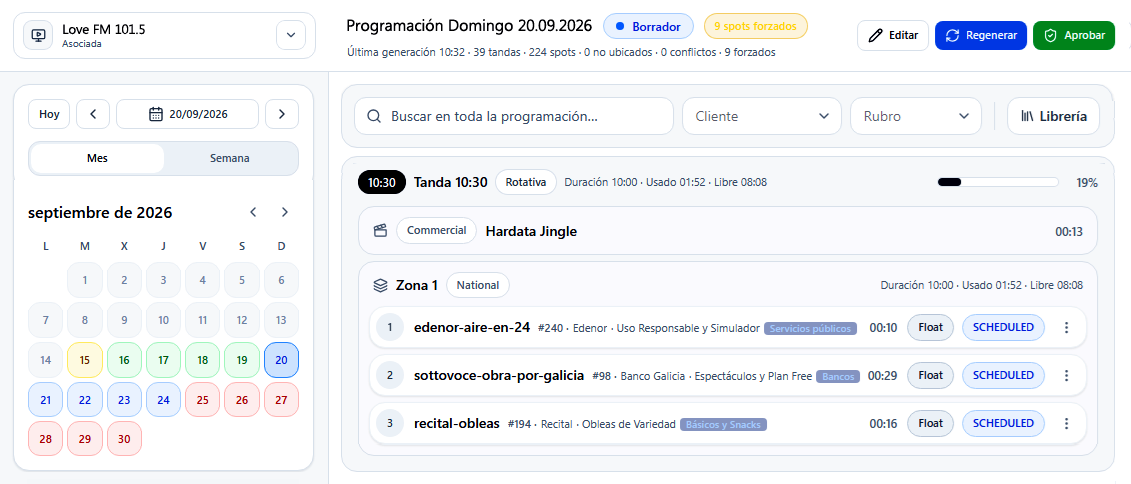
Integrated Traffic
Commercial management is no longer a separate system; it becomes part of the platform.
Native integration between Traffic and automation eliminates manual processes, reduces errors, and enables much smoother workflows between sales, scheduling, and on-air operations.
All relevant information shares the same technology foundation, simplifying planning, playout, and control.
Automatic Mixing
The system automatically detects the optimal mix point between audio files (music, imaging), creating smooth transitions with optimal sound levels.
Live Assist
Button panel for instant audio and video playout. The Instant Play window supports up to 100 customizable buttons per page. You can add an image to each button for easier identification.
Time and Weather
Using weather updates from the Internet, it can play time and weather information at the press of a button or automatically by including the command in the schedule.
Radio Networks with Ad Replacement
HARDATA SNC technology automates local ad replacement at remote or affiliate radio stations.
Open APIs
HARDATA HDX 5 includes a public API platform that simplifies integration with third-party applications and solutions.
The APIs make it possible to interact with automation, access operational information, control processes, and build custom integrations without relying on proprietary interfaces.
This open architecture provides a solid foundation for in-house development, integration with enterprise systems, and new AI-based applications.

Music Scheduler
Easily create music schedules by setting selection criteria such as artist, genre, tempo, priority, year, and more.
RDS Support
Display the station name, song title and artist, and custom messages from your station.
Telephone Answering System
Receive and record listener calls through a DTMF command system.
Continuous Recording (Logger)
The system can continuously record audio and video from one or more signals and generate an as-run report that can be used as a legal record.
Remote Content and Report Management
HARDATA HDX 5 includes integrated web access for remote content management. From this tool, you can preview media, import and export content to the server, and generate broadcast reports.
ULTRA-LOW LATENCY
We developed HARDATA SHOT PLAY so the system can play files instantly. HDX 5 supports a wide range of hardware, including low-latency ASIO audio cards.
Add Tags Anywhere
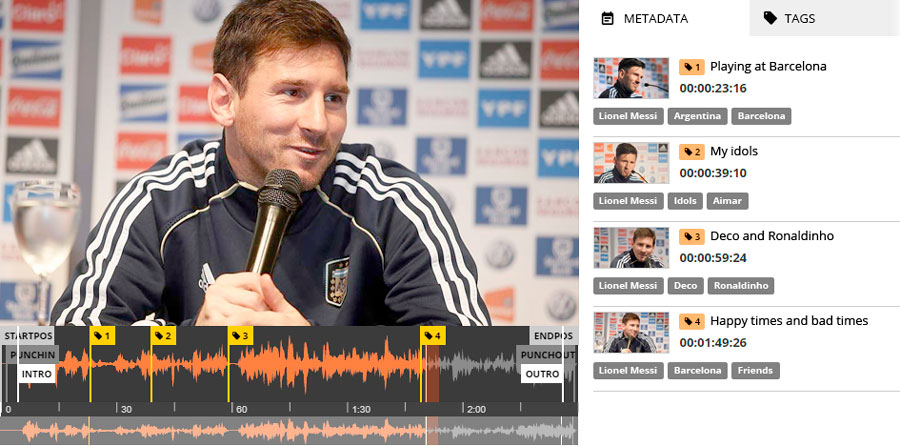
Speed up content searches by placing tags anywhere in your audio media. Name them, search for them, and use them whenever you need them.
Preventive Maintenance
Continuously monitor equipment and installation status to detect abnormal conditions before they cause failures, enabling early intervention and reducing the risk of on-air interruptions.
NEWS MANAGEMENT
AUTOMATIC NEWS AGENCY IMPORTER
Connects to news agencies, automatically downloads the latest stories, and organizes them into predefined categories.
NEWS EDITOR
Create, edit, and proofread news stories, highlight the text assigned to each presenter, and associate one or more audio files. It can also create content with text, audio, and images.
NEWS SCHEDULING
Organize and order the news list exactly as the presenter will see it on air. The list can also be edited and printed.
NEWS PROMPTER
Lets the presenter read scheduled news stories and play associated audio. Includes different reading speeds and font sizes.
PRESS LINE
Handles calls from correspondents, identifies them, and lets them record and listen to their audio.
HARDATA HDX 5 + vMIX
The Perfect SolutionThanks to its exclusive playout engine, HARDATA HDX 5 can handle audio-only media or audio with video interchangeably. They can even be mixed together seamlessly, with smooth transitions that are not noticeable on air.
It can also manage multiple cameras that can be triggered automatically. Depending on your console, cameras can be triggered by GPI when microphones open or close, or by detecting audio on each microphone channel, so the shot can change based on who is speaking at that moment. For example, if two hosts are talking over each other, a side-by-side camera view can be activated. If everyone laughs, the software can select a wide-angle group shot.
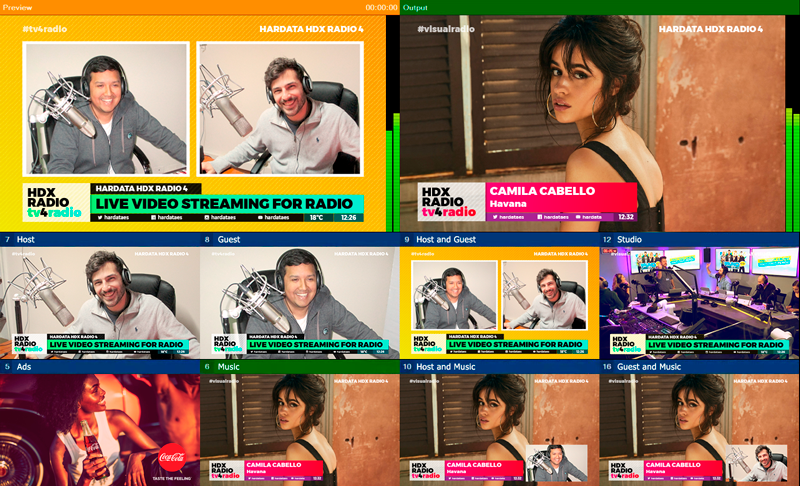
With vMIX, you can create preset scenes in full screen, split screen with multiple cameras or videos, or picture-in-picture using different sources.
Once your scenes are created, you no longer need to worry about video. HARDATA HDX 5 controls vMIX and selects the appropriate scenes at each point in the broadcast according to the assigned priorities.
vMIX® is a product and registered trademark of vMIX.com. Hardata distributes vMix, which must be purchased directly from vmix.com by the end user.
To use automatic microphone audio detection, you need an IP audio console (Axia or similar). If your console is analog or digital (AES/EBU), you must send each microphone signal separately to a multichannel audio card.
SMART DIRECTOR
Each station, and even each show, can have its own personality. A newscast is different from an afternoon program or a talk show. SMART DIRECTOR lets you apply different automatic modes for operating cameras and video signals to create your own style.
VIRTUAL DIRECTOR
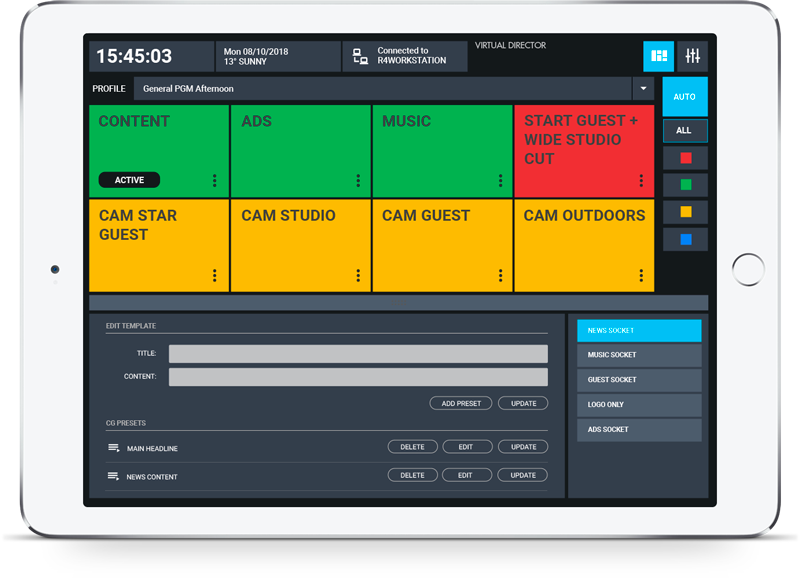
At times you may let SMART DIRECTOR handle everything, while at others you may want to take control of scene selection or edit graphics text. That is why we designed VIRTUAL DIRECTOR, a web app that runs on a tablet or any PC and can be operated by the station operator or a live producer from the studio, control room, or production area.
VIRTUAL MIX
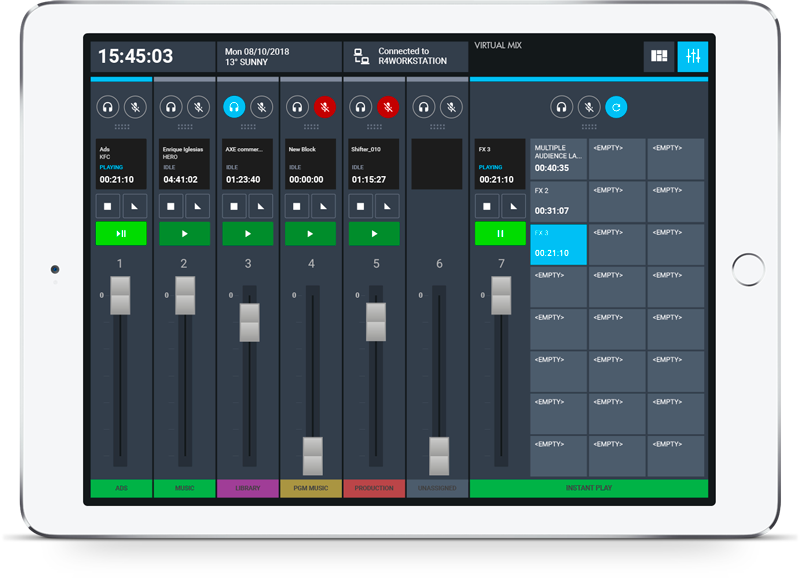
In digital audio networks, free up channels on your console and operate through a remote interface on a tablet that works as an extension of the console, allowing you to control each playback window as if it were another channel.
AUDIO OVER IP (AoIP) SUPPORT
The HARDATA HDX 5 platform is fully compatible with all AoIP protocols and the AES-67 standard, and is certified for AXIA LIVEWIRE+ technology.
AXIA and LIVEWIRE+ are registered trademarks of THE TELOS ALLIANCE.

HARDATA SMART FLOW
Content Management for Radio, Visual Radio, and TelevisionHARDATA HDX 5 uses SMART FLOW technology to centralize, manage, and share content.
HDX 5 can function as a server for radio, visual radio, and television, making it easy to exchange content between different HARDATA products.
SMART FLOW includes web access, advanced search, cataloging, preview, and automatic media synchronization.