HARDATA TRAFFIC
COMMERCIAL SCHEDULING
Less manual work, more control, commercials ready to go on air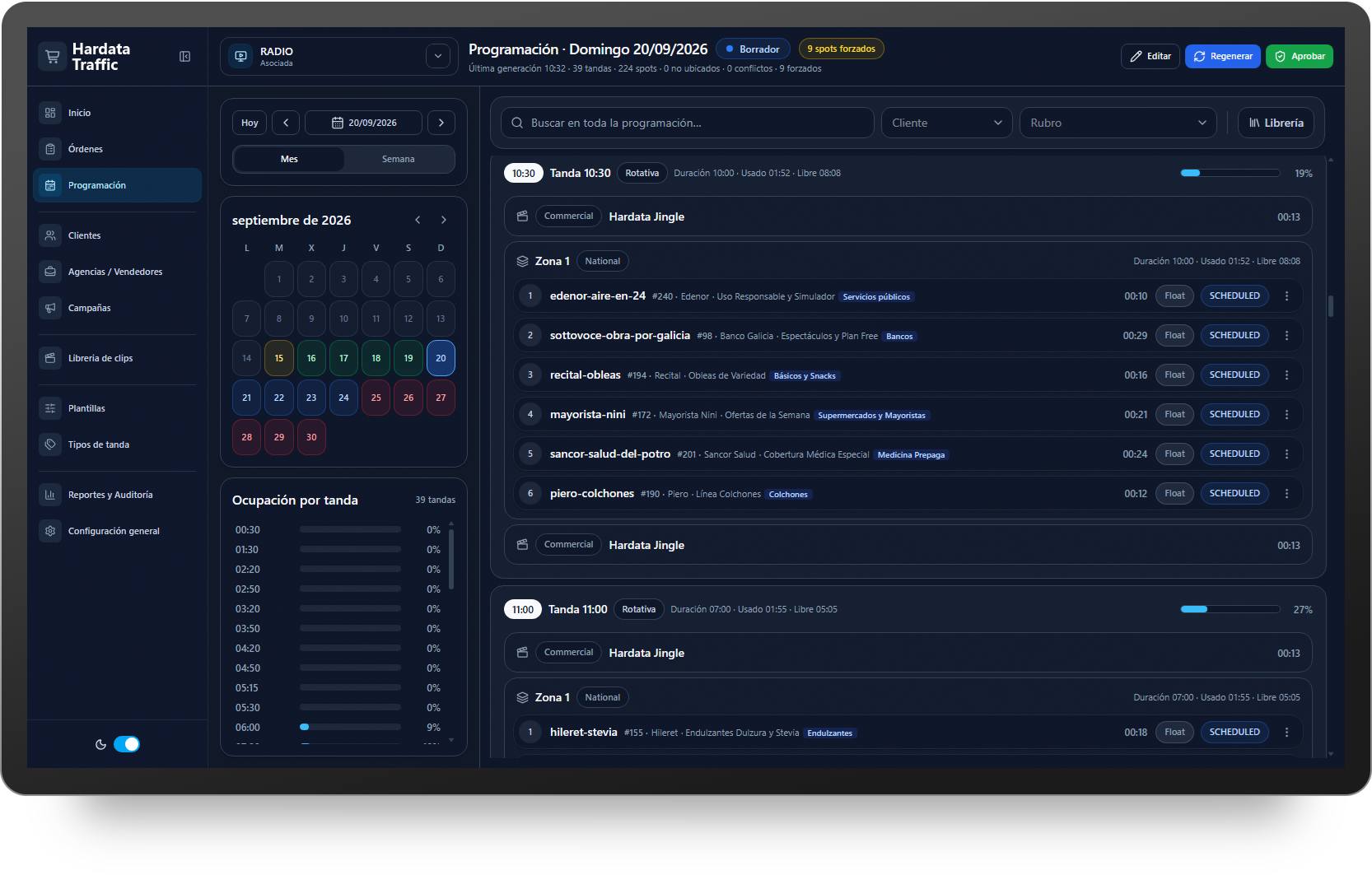
HARDATA TRAFFIC
Commercial scheduling, fully integrated with playoutHARDATA TRAFFIC automates the creation, review, and publishing of commercial schedules for one or multiple stations.
Available in HARDATA HDX 5 and DINESAT 13, it integrates natively with stations, media assets, and the playout system. Everything operates within a single environment, with no need to duplicate data or export, import, or synchronize schedules between systems.
- Automatic scheduling of hundreds of orders
- Direct integration with HDX and DINESAT
- Multi-station and national/local operation
- Manual control before publishing
- Operational alerts and tracking
- As-run certification
Scheduling in seconds
Build a full broadcast day with hundreds of orders in seconds, taking into account time windows, commercial break durations, priorities, and business rules.
Smart separation
Optimizes separation between repeat airings and avoids placing competing advertisers in the same commercial break whenever possible. Any conflicts requiring review are clearly flagged.
Your broadcast day continues past midnight
Organize broadcast days of up to 30 hours, with commercial breaks scheduled as late as 6:00 AM the following day. Orders can span overnight hours without having to be manually split across two broadcast days. Create reusable templates with dayparts, break types, and preferred positions for each workflow.
National and local scheduling in one workflow
Manage network scheduling across national and local zones. Define which spots should air across the entire network and which are assigned to each market or station, while maintaining centralized control of the operation.
Get every spot on air
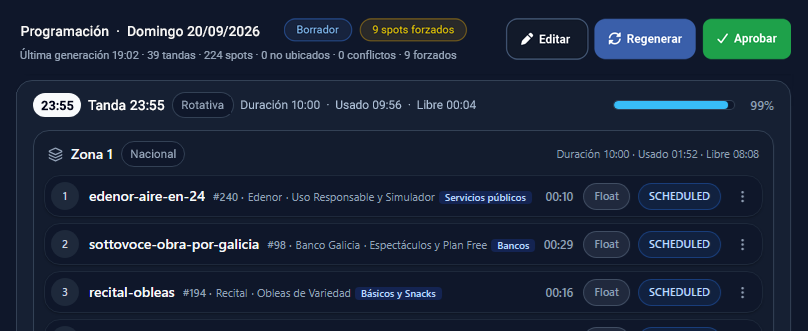
Designed to get every scheduled spot on airHARDATA TRAFFIC prioritizes placing every order in the schedule. If a perfect distribution cannot be achieved, it runs multiple scheduling passes and progressively relaxes constraints to place the spots. This reduces manual insertions and clearly identifies the exceptions that require attention before the schedule is approved.
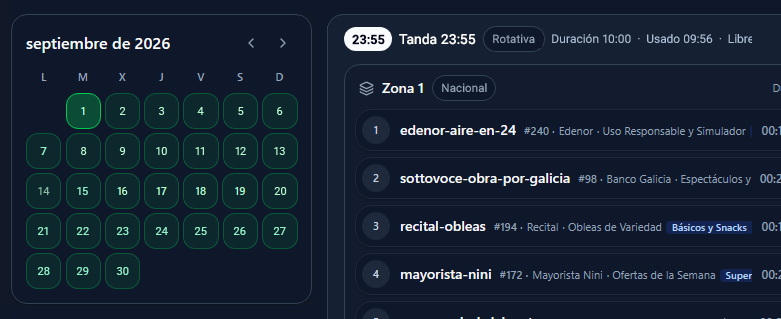
Visual calendar
Check the status of each broadcast day and quickly identify schedules that are pending, under review, or approved across your stations.
Alerts that keep you ahead
Identify orders nearing expiration, missing media, and incomplete configurations so they can be resolved before airtime.
Multi-station management
Manage multiple stations from a web interface, with independent calendars, templates, and schedules for each one.
As-run certification
Generate as-run certifications by day and advertiser, including details of every spot aired along with its exact air date and time.
Automate and stay in control
Automate scheduling. Stay in control.Review and fine-tune the schedule before publishing. Move spots between commercial breaks, change their order, or add new content directly from the HDX or DINESAT library using drag and drop. Once everything is ready, approve the schedule and publish it directly to the playout system.